
Let me set the scene: California sun, an iced coffee sweating in one hand, my press lanyard swinging like the season’s most coveted accessory, and me – grinning like I’ve just landed the FROW at JW Anderson’s first Dior show… because there are very few places I’d rather be than at Apple Park for my first WWDC.
WWDC, or Apple’s Worldwide Developers Conference, is the company’s flagship annual event, held each June and typically centred on its Cupertino campus, aka Apple Park. Despite the developer-heavy name, it’s less about new gadgets and more about software: it’s where Apple unveils the next versions of iOS, iPadOS, macOS, watchOS and the rest, giving the world a first look at the features that will land on our devices over the following year. Originally created as a chance for app developers to learn the tools behind Apple’s platforms – and many still attend for exactly that – it has grown into one of the most closely watched dates in the tech calendar, opening with a keynote that sets the tone for everything Apple plans to roll out next.
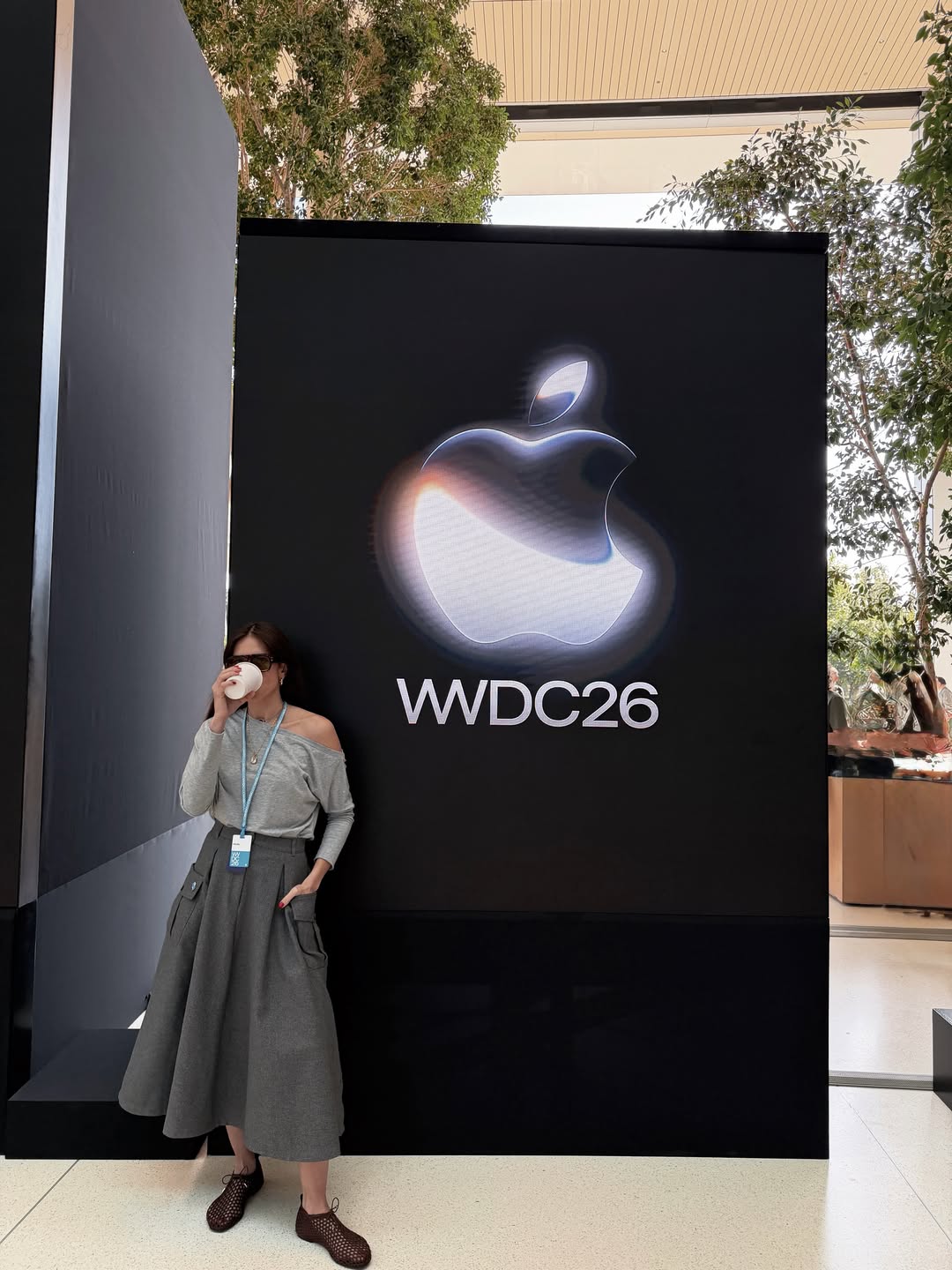
As a fashion-tech journo, this is exactly the intersection I live for: the place where the things we carry, wear and photograph our lives with get reinvented. I’d been counting down to this keynote for weeks. And it delivered. Tucked between the speeds-and-feeds and the inevitable, genuinely gorgeous shots of glass refracting light from Apple Park, there were a handful of announcements that made the whole press row lean in at once – the kind of features you immediately want to text the group chat about. Not just abstract “the future is coming”, but the small, smart, brilliantly useful things that make you go: oh, that’s going to change my Tuesday morning.
So here’s what I was loving – the seven announcements that earned a star in my notes app, separated from the keynote sparkle and translated into what they’ll actually do for your daily life. Apple is calling this a banner year, and from where I was sitting, they’ve earned the confidence…
The WWDC 2026 Glow-Up – Everything Apple Announced, Ranked by How Much It’ll Change Your Day:
1. Siri Grew Up – Meet Siri AI
The headline act, and rightly so. Apple has rebuilt Siri from the ground up and rebranded it Siri AI, powered by Apple Intelligence – and the pitch is that it’s “smarter and more conversational than ever,” according to Apple. Translation: the assistant we’ve all been gently bullying for years has finally levelled up, and the room could feel it.
The genuinely clever part is context. Per Apple, Siri now “uses personal context understanding to search across your messages, photos, emails, and the web to get you answers.” So that email from three months ago you swear you never deleted? You can simply describe it and let Siri do the digging – no more frantic keyword roulette in your inbox at 11pm.
There’s also onscreen awareness, which means Siri can answer questions about whatever you’re looking at, or reach out for “up-to-date information from the web on virtually any topic,” in Apple’s words. And – finally – there’s a dedicated Siri app, so you can pick up old conversations or start fresh ones, synced privately across your devices through iCloud. Privately is a word Apple kept returning to, and it’s exactly the right note to hit.
Two features earned an audible reaction from my row. First, Write with Siri: describe what you need and it “will generate a full draft from scratch,” so you’re “never staring at a blank page again,” per Apple. And second, on iPhone, Visual Intelligence is now baked into the Camera with a new Siri mode. Apple’s tagline for it is endearingly direct: “point, ask, done.” Scroll on for why that one’s a genuine game-changer.
2. Point, Ask, Done: Visual Intelligence In Your Camera
If Siri AI is the brain, Visual Intelligence is the show-stopper that’ll actually live on your home screen. Built right into the Camera app on iPhone with that new Siri mode, it lets you get information and take action on whatever is in front of you – which sounds abstract until you hear the two examples Apple led with, both of which solve very real, very modern problems.
The first: splitting a bill. Point your camera at the receipt and you can divvy it up and settle via Apple Cash – no awkward mental arithmetic and “I’ll send it over later” that somehow never happens. As someone who has watched a lovely dinner dissolve into long division, I cannot overstate how elegantly this defuses the whole ritual.
The second is the one that made me sit up: nutritional insights about a plate of food. Aim your phone at lunch and get a read on what’s on it. For anyone who tracks what they eat – or is simply curious – it’s a clever, frictionless party trick, and a perfect illustration of how much the camera now understands rather than simply records.
What I loved, watching it live, is the sheer lack of friction. There’s no separate app to open, no mode to fumble for. It’s where your camera already is, doing things your camera couldn’t do yesterday. Apple’s whole “point, ask, done” framing is marketing, of course – but it’s also an accurate description of how it feels to use. You point. You ask. It’s done.
I’m counting down to getting it into my own hands, because this is exactly the kind of feature that proves itself in the wild, in the middle of real life. But as a statement of where the phone camera is heading – from a device that captures the world to one that reads it – this was one of the most thrilling things I saw all day.
3. The Photo Fix We’ve All Been Waiting For: Spatial Reframing
This is the one I’d happily have flown to Cupertino for alone. We have all done it: captured the perfect moment – the light, the laugh, the outfit finally cooperating – only to discover later that the framing is just slightly off. Too much ceiling. A stranger’s elbow. The subject marooned to the left like an afterthought.
Enter Spatial Reframing, part of the next generation of Apple Intelligence. In Apple’s own words, it “lets you adjust the composition after the fact, so you never have to live with a slightly-too-far-left shot again.” Reader, I wrote that quote down and underlined it twice. It’s the most relatable sentence Apple produced all day, and the entire press row seemed to agree.
The broader Apple Intelligence update is, in the company’s framing, “designed with privacy at every step” – a recurring and very welcome theme of the keynote. But Spatial Reframing is the feature with the clearest emotional payoff, because it fixes a tiny, daily, universal frustration. Not a problem you knew had a solution – just a small ongoing annoyance, retired.
It also slots beautifully alongside two other Apple Intelligence upgrades worth flagging here. In Safari, tabs now organise themselves by topic – a genuine mercy for anyone (me) who keeps forty open like a hoarder of half-read articles. And there’s Notify Me, which can ping you when a web page changes: a price drop, a restock, or – Apple’s own example, and I felt personally seen – “that sold-out item finally coming back.” The end of obsessively refreshing a product page at midnight may finally be upon us, and honestly? About time.
For anyone who lives through their camera roll – fashion people very much included – this is the upgrade I expect to use most. Photography has always been about what you choose to leave in the frame. Now you get a graceful second chance.
4. Get Creative: The All-New Image Playground
For the creatives – Apple’s all-new Image Playground app is the joyful counterweight to all the productivity. The pitch is simple: “Bring your ideas to life with photorealistic images,” as Apple puts it, in a redesigned app that now includes a new photorealistic style.
What I can’t wait to explore is the texture of it in real life. Photorealism is a high bar, and half the fun of these tools is finding out exactly how far you can push them (“my sister’s dog, but as a Renaissance hound” is top of my list). That’s the joy of a playground: you’re meant to experiment. Importantly, Apple has built guardrails into the experience to keep that experimentation safe – the tool is designed to stop you generating nude, explicit or otherwise harmful imagery, so the photorealism can’t be turned to “nudification” or other misuse. It’s a sensible line to draw, and a reassuring one given how lifelike the results now are.
Taken together with Spatial Reframing and the smarter Siri, Image Playground rounds out a clear and rather lovely thesis for this year’s Apple Intelligence: less about replacing what you do, more about removing the small frictions between your idea and the thing itself. You think of an image; you get an image. You think of a draft; Siri writes one. You think the photo’s framing is off; you fix it.
It’s also, refreshingly, just for fun. Not every feature has to optimise your life. Some can simply make you laugh in a group chat at 9pm. After a day of privacy frameworks and software architecture, the sheer playfulness of Image Playground was a tonic. Sometimes you don’t want a tool. You want a toy.
5. Apple’s New Child Safety Features
Now for a section that might not trend as much on social media but might matter most of all. Apple rolled out a new suite of child safety features that it describes – accurately, by the looks of it – as “the biggest update to Screen Time since its introduction in 2018.” The features are, in Apple’s framing, “based on expert guidance and designed to be easy to use,” and that second half is the part parents will actually feel.
The centrepiece is Time Allowances. Rather than the current all-or-nothing approach, parents can now set time across categories – Entertainment, Games, Social Media – instead of fighting each app individually. Crucially, Apple says the defaults arrive “with default settings that are informed by expert research, including from the American Academy of Pediatrics.” That sourcing matters. The hardest part of parenting a device isn’t enforcement; it’s knowing what “reasonable” even looks like. Sensible defaults backed by paediatric guidance do a lot of quiet heavy lifting.
There’s also a new Setup Assistant, which lets parents choose which apps are available from day one and stay in control of what gets added over time – a far cry from handing over a fully loaded phone and hoping for the best. And Apple is launching a dedicated website as a central resource to help families discover and set up the tools available to them, which sounds modest until you’ve tried to find a buried settings menu while a seven-year-old negotiates for more Roblox. I don’t have children of my own, but nearly everyone I know who does has, at some point, described Screen Time as well-intentioned but maddening to actually use. So watching Apple take the experience seriously – and build it around expert guidance rather than guesswork – was genuinely heartening. “Easy to use” is the rarest promise in parental controls, and the most meaningful one to keep.
It’s the kind of thoughtful, human update that doesn’t make the highlight reel but improves real family life. I loved that it made the stage.
6. The Glow-Up: Liquid Glass, More Speed, Smarter Search
Not every meaningful update is a marquee feature. Some are the beloved refinements that make a phone feel like yours again – and Apple’s 2027 software releases are stacked with them. The framing, per Apple, is that these updates make your products “even more responsive, reliable,” with improvements to the features you already lean on daily. Understated, yes. Also exactly what people actually want.
First, the aesthetic tweak with a surprising amount of fan service: a new slider for Liquid Glass that lets you choose “exactly how tinted or transparent you like it,” as Apple puts it. When Liquid Glass first arrived, opinion split neatly between people who adored the dreamy translucency and people who wanted it dialled back. A slider is the perfect, generous solution – turn it up, tone it down, make it yours. As a personalisation devotee, I was thrilled.
Then, speed. iPhone and iPad apps launch faster, photos load faster after you take them, and AirDrop transfers move faster too. None of it photographs well for a keynote, but all of it is the kind of thing you feel a dozen times a day – the difference between a phone that delights you and one that doesn’t.
And search – the feature we all rely on and wrestle with. Apple is overhauling it across Spotlight, Photos and Mail so you can find exactly what you’re looking for. (Faster, naturally; they did mention that once or twice.) For someone whose camera roll is essentially a working archive, the promise of finally summoning the right photo on the first try is the upgrade I’m most excited about.
It’s tempting to skim past a section like this in favour of the AI razzle-dazzle. Don’t. The flashy features sell the keynote, but it’s the speed, the search and the let-me-adjust-this that determine whether your phone feels like a daily joy. This is the unsung half of the upgrade – and often the half you’ll be most grateful for.
7. The Lightning Round: Including The Feature I Genuinely Cheered For
Apple closed with a flurry of smaller updates, and buried in it was the announcement that got the biggest reaction from me personally: the Health app now offers perimenopause and menopause support. For an industry that has too often treated half the population’s biology as a niche afterthought, seeing it named on a WWDC stage – plainly, without euphemism – felt momentous.

The rest of the lightning round is a delicious spray of “oh, nice.” iCloud Shared Albums now support full-resolution sharing – and, finally, friends on Android and Windows can join, so the group holiday album need no longer be held hostage by one Android-owning friend. Apple Watch gets a dynamic app grid that surfaces Siri-suggested apps, nudging the right thing to the front before you’ve gone looking. And Apple Maps gets an enhanced Flyover experience with richer, more detailed visuals, for the armchair travellers and obsessive trip-planners alike.
None of these will headline the recap reels, but collectively they’re the texture of an Apple year – the small, specific, human improvements that say someone in the building genuinely uses this stuff. The menopause support especially.
So: seven things, one keynote, one very happy tech journalist. I came for the spectacle and left with a notebook full of genuinely useful upgrades and exactly one feature I cheered for out loud. For a first WWDC, it was everything I’d hoped for – and then some. I can’t wait to put all of it to use.
All product details and quotations are drawn from Apple’s WWDC 2026 announcements and accompanying Newsroom posts.
Some of the products and services featured in this article may be from our affiliate partners, which means we may earn a small commission if you make a purchase through these links — at no extra cost to you. Our editorial team only spotlights what we genuinely love and think you will, too.
Leave a Comment