
Apple’s latest iOS 18.1.1 update has left many iPhone users frustrated, with complaints of rapid battery drain flooding social media. Released earlier this week, the update promises critical security fixes, but some users claim their devices can barely make it through the day on a single charge.
On X, formerly Twitter, users didn’t hold back. One user ranted, “WTF is wrong with the latest iOS update?! My phone is dying every 7-8hrs despite being fully charged!” Another shared, “iOS 18.1.1 battery drained 2x faster than 18.” Even after updating, one user noted, “The battery drain issue has not been fixed.”
So, is the update worth downloading, or should you wait it out? Let’s break it down.

Courtesy of Apple
MORE: New features coming from Apple to you this fall
DISCOVER: Apple is about to dominate fitness streaming
Why Update?
Apple rolled out iOS 18.1.1 to patch two security vulnerabilities that have reportedly been “actively exploited” by hackers. These bugs could potentially allow hackers to remotely access your device or gain control of your online accounts. While these exploits have only been seen on Macs so far, experts warn that delaying the update could leave your iPhone exposed to future attacks.
MORE: Will Apple’s iOS 18 Make It Easier to Cheat in Relationships?
DISCOVER: How to Stop Your iPhone from Secretly Tracking You: 3 Key Settings to Change
The Battery Drain Problem
If you’ve updated and noticed your battery draining faster, you’re not alone—but don’t panic just yet. Experts say post-update battery issues are common and often temporary.
“Installing a new OS on an iPhone triggers a lot of stuff to go on in the background, from indexing to recalibrating the battery, and this can go on for hours or even days,” Adrian Kingsley-Hughes, a ZDNet researcher explained to Mail Online. This recalibration process can make it seem like your battery is depleting faster, even if it’s not.
Still, if the issue persists beyond a few days, it might be time to check your iPhone’s battery health. Head to the Battery tab in Settings, where the maximum capacity of your battery is listed. If your battery has significantly degraded, you’ll see an alert recommending replacement.
MORE: WhatsApp is making 3 major changes and we are obsessed
DISCOVER: Should you be hiding your children’s faces online?
Quick Fixes to Extend Battery Life
Here are a few tips to preserve your iPhone’s battery life while waiting for the software to settle:
- Turn Off Wi-Fi Assist: This feature keeps your device connected to the internet when Wi-Fi is spotty, but it can quickly drain your battery. Disable it in Settings > Cellular > Wi-Fi Assist.
- Watch the Heat: Avoid exposing your iPhone to temperatures above 35°C (95°F). Overheating can cause long-term battery damage.
- Remove Hot Cases While Charging: If your case generates excess heat during charging, take it off to protect your battery.
- Update Properly: If you haven’t yet updated to iOS 18.1.1, go to Settings > General > Software Update and follow the on-screen instructions.
MORE: 21 Features We Loved from Apple’s WWDC24
DISCOVER: The best personal safety gadgets to carry with you
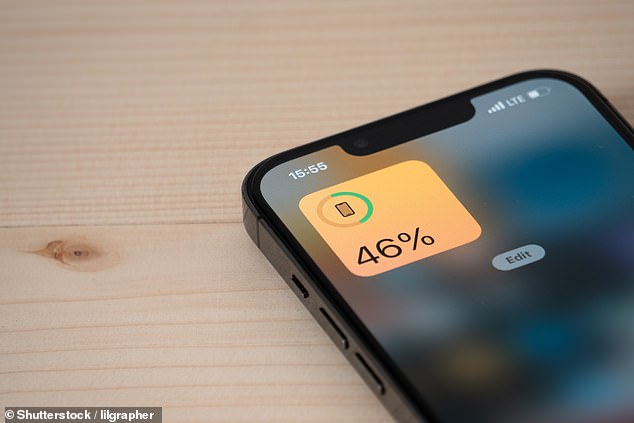
Image Courtesy of Mail Online
Bottom Line
Yes, the battery drain issue is frustrating, but the critical security patches in iOS 18.1.1 make it an essential update. While you wait for your phone to adjust, these small tweaks can help you get through the day. For some users, enduring a temporary inconvenience is a fair trade-off for a more secure device.
Some of the products and services featured in this article may be from our affiliate partners, which means we may earn a small commission if you make a purchase through these links — at no extra cost to you. Our editorial team only spotlights what we genuinely love and think you will, too.
12 responses to “New iPhone IOS Is Ruining Batteries: Here’s What Users Need to Know”
-
… [Trackback]
[…] There you can find 89539 additional Information on that Topic: themodems.com/tech/new-iphone-ios-is-ruining-batteries/ […]
-
… [Trackback]
[…] Here you will find 44622 more Information to that Topic: themodems.com/tech/new-iphone-ios-is-ruining-batteries/ […]
-
… [Trackback]
[…] Read More on on that Topic: themodems.com/tech/new-iphone-ios-is-ruining-batteries/ […]
-
… [Trackback]
[…] Here you can find 97776 more Information on that Topic: themodems.com/tech/new-iphone-ios-is-ruining-batteries/ […]
-
… [Trackback]
[…] Read More on on that Topic: themodems.com/tech/new-iphone-ios-is-ruining-batteries/ […]
-
… [Trackback]
[…] There you will find 22064 additional Information on that Topic: themodems.com/tech/new-iphone-ios-is-ruining-batteries/ […]
-
You nailed it.
-
… [Trackback]
[…] Info on that Topic: themodems.com/tech/new-iphone-ios-is-ruining-batteries/ […]
-
… [Trackback]
[…] Here you will find 66093 more Info on that Topic: themodems.com/tech/new-iphone-ios-is-ruining-batteries/ […]
-
… [Trackback]
[…] There you will find 66006 additional Info to that Topic: themodems.com/tech/new-iphone-ios-is-ruining-batteries/ […]
-
… [Trackback]
[…] Read More on on that Topic: themodems.com/tech/new-iphone-ios-is-ruining-batteries/ […]
-
Pretty! This has been an incredibly wonderful post.
Many thanks for providing these details.


Leave a Comment