
For years, artificial intelligence has been positioned as something to prepare for – complex, fast-moving and often framed around what it might replace.
Apple Intelligence arrives with a different emphasis: not disruption for disruption’s sake, but practical tools designed to support how people already work, think and create.
On Wednesday 21 January 2026, The Modems founder Natalie Salmon was invited inside Apple’s UK headquarters at Battersea Power Station for ‘Passionate About Business – Female Founders Edition’, to speak to a room full of founders about Apple Intelligence – what it is, how it works, and why it matters.
“The conversation wasn’t about future hype or theoretical use cases – it was about how this technology actually shows up in real working lives, and why that matters for women building businesses today,” explains Natalie.
The afternoon wasn’t about hype, future-gazing buzzwords or Silicon Valley chest-beating. It was about usefulness and showing women – many of them founders, creatives and business owners – how AI can reduce friction in everyday life.
Alongside a live demo with Amanda Farr, Director of Product Marketing for Apple Europe, Natalie had the opportunity to explain how she uses the latest Apple AI writing tools and in her words “teach women and other founders about how they can optimise their lives with this technology.”
Apple Intelligence, explained (without the jargon)
Apple Intelligence is AI designed to be relevant to you and the things you do every day. It’s integrated directly into iPhone, iPad, Mac and Apple Vision Pro, helping you write, express yourself and get things done more efficiently – without compromising privacy.
“Women are already doing the mental juggling. Tech should remove load, not add to it,” explains Natalie. That philosophy is baked into Apple Intelligence. Crucially, Apple positions intelligence and privacy as non-negotiable equals. Your data is never stored or shared. It’s used solely to fulfil your request – full stop.
The Event: Passionate About Business – Female Founders Edition
The January 21 event was curated specifically for influential women in entrepreneurial businesses across London. Hosted in One Boiler House, Apple’s top-floor event space overlooking the Thames, the format prioritised conversation over performance.
Rather than keynote monologues, guests rotated through small, intimate group discussions led by Apple team members and female founders including:
- Kowiyat ‘Mayo’ Ajimobi, The Lady Powerhouse
- Jojo Barr, House Nine Design
- Polly Wilkinson, Studio Pollyanna
- Shivani Pau, A Millennial Mind
- Natalie Salmon, The Modems
Natalie’s focus? Reframing AI as a productivity ally, not a threat. “So many women feel behind on AI – but most of us are already doing the hardest part: critical thinking, synthesis, judgement,” she says. “Apple Intelligence just meets you where you already are.”
Five Things to Try – Apple Intelligence According To The Modems:
1. Writing Tools: Because Tone Is Everything
Writing Tools are available almost everywhere you write – from Notes and Mail to third-party apps and websites.
You can:
- Proofread
- Rewrite text in different tones
- Summarise long content
- Turn messy thoughts into clean bullet points or tables
“With Apple Intelligence, you can use Writing Tools to proofread your work, create different versions of the same text to help you find the right wording and tone, and summarise selected text,” explains Apple.
Natalie uses it constantly – not to replace her voice, but to sharpen it. “When you’re sending investor emails, press pitches or sensitive messages, tone matters. Writing Tools help you pause, sense-check and refine – without second-guessing yourself for an hour.”
For founders juggling Slack, WhatsApp, email and Instagram captions? This is quiet power.
2. Clean Up: The End of ‘Almost Perfect’ Photos
We’ve all been there. The perfect outfit. The perfect lighting. And a rogue bin, stranger or shadow ruining the shot.
Clean Up lets you remove distracting background objects directly in Photos. “With Apple Intelligence, you can find just about anything in the photos and videos you capture… and focus on the most important parts of your photos by removing distracting objects,” says Apple.
Tap, brush or circle what you want gone – done. “It’s about letting the subject shine – whether that’s your product, your space or yourself,” explains Natalie.
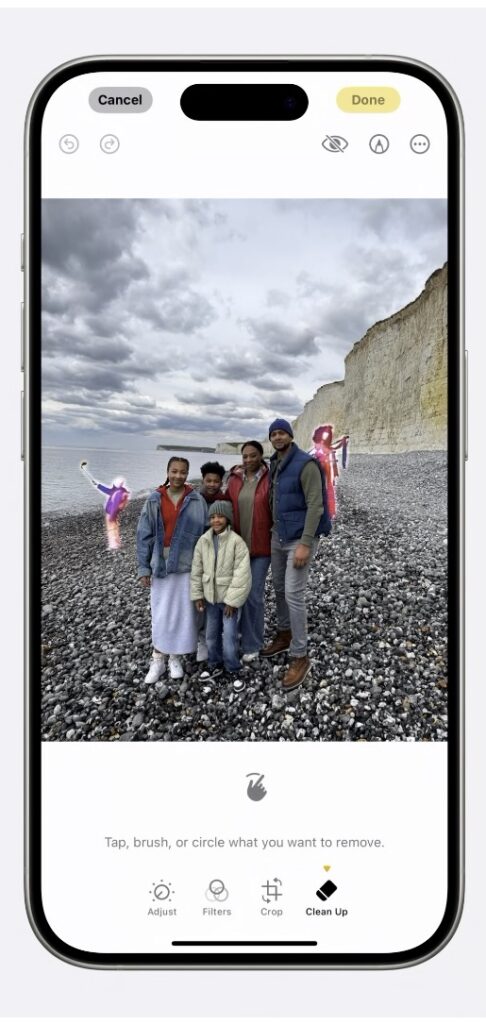
No reshoots required. Apple Intelligence’s Clean Up tool lets you remove background distractions while keeping the moment intact.
Credit: Apple
3. Transcription: Meetings, Minus the Mental Load
Recording meetings is easy. Revisiting them? Less so. Apple Intelligence changes that by transcribing and summarising audio directly in Notes or Voice Memos.
“You can record audio in Notes… then use Apple Intelligence to generate a summary of the transcript, so you can get to the most important information at a glance,” explains Apple.
Natalie uses this for editorial interviews and team meetings. “It’s the difference between being fully present in the room – and frantically taking notes you’ll never re-read.”
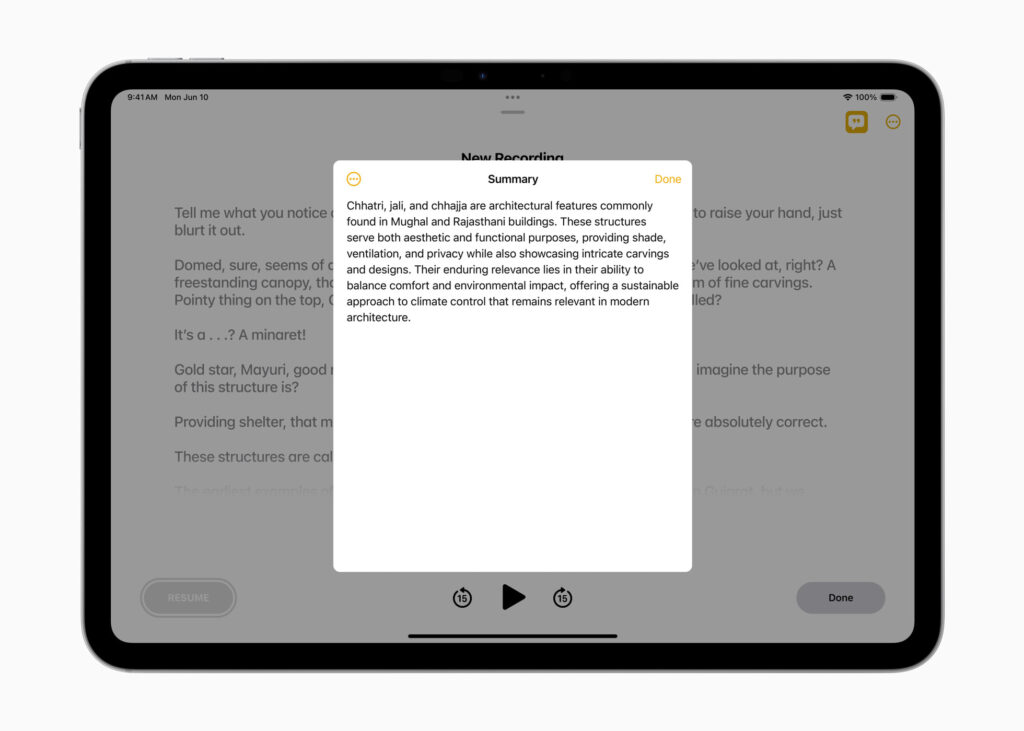
From long recordings to instant clarity. Apple Intelligence can transcribe and summarise meetings, lectures and conversations – so you can stay present, then review later.
Credit: Apple
4. Focus: Attention Is the New Luxury
Focus mode has existed for years – but Apple Intelligence takes it further with Reduce Interruptions, showing you only what truly matters. “Women don’t need endless productivity hacks. We need fewer interruptions. Focus finally respects that,” explains Natalie.
“If Apple Intelligence is turned on, you can also use the Reduce Interruptions Focus, which uses Apple Intelligence to show you only the most important notifications,” says Apple.
You can customise Focus by:
- People
- Apps
- Location
- Time
- Even Lock Screen design
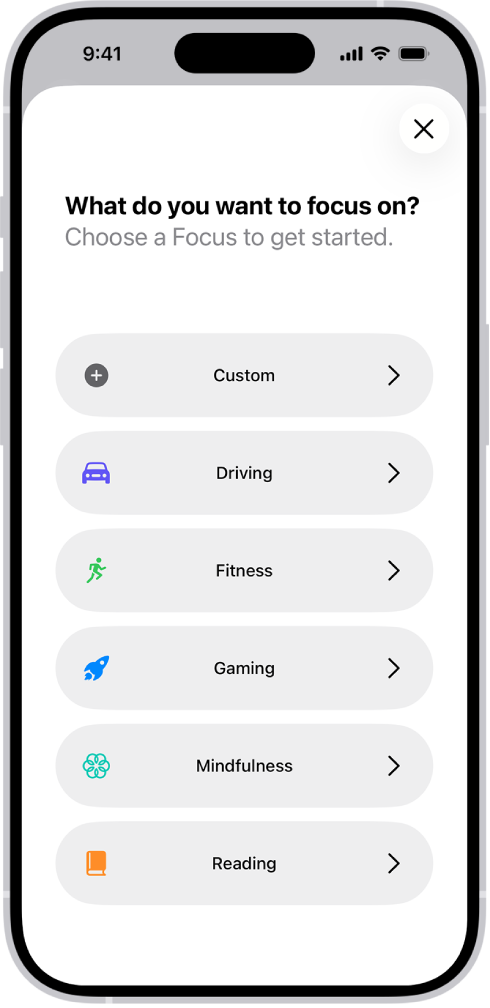
Apple Intelligence makes Focus feel less rigid and more intuitive – helping you filter noise without disconnecting entirely. Productivity, but on your terms.
Credit: Apple
5. Visual Intelligence: Point, Shoot, Act
Visual Intelligence is perhaps the most quietly radical feature of all.
You can:
- Turn a flyer into a Calendar event
- Translate text instantly
- Identify places, objects, plants and animals
- Look up where to buy something you see
“You can search visually, ask questions, and take action, like turning a flyer or invite into a calendar event.” It’s AI that understands context – and then does something useful with it. “This is what intelligence looks like when it’s designed around real life,” Natalie says. “Not tabs. Not toggles. Just action.”
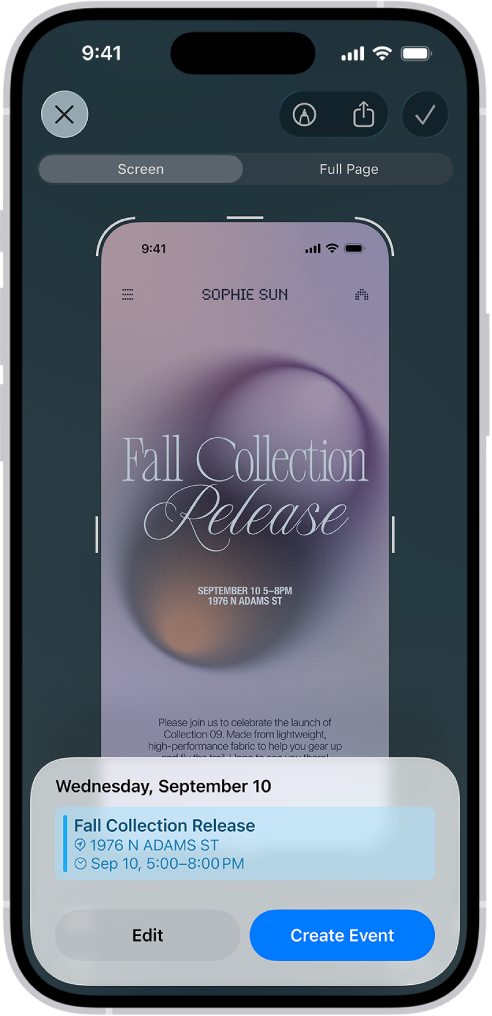
See it. Scan it. Add it. Apple Intelligence uses Visual Intelligence to turn real-world invitations into calendar events in seconds.
Credit: Apple
The Modems Verdict:
As Natalie reflects: “The future of AI shouldn’t feel extractive or overwhelming. It should feel like support. Apple Intelligence gets that – and that’s why I think it resonates.”
Apple Intelligence isn’t trying to be everything. It’s trying to be helpful. It’s about choosing tools that respect your time, your privacy and your voice. And for women navigating careers, businesses and lives that rarely fit into neat boxes, that matters.
Some of the products and services featured in this article may be from our affiliate partners, which means we may earn a small commission if you make a purchase through these links — at no extra cost to you. Our editorial team only spotlights what we genuinely love and think you will, too.
3 responses to “Five Things to Try With Apple Intelligence – A Founder’s Guide”
-
It was a pleasure reading this.
-
Thanks for sharing this insightful article.
-
Subscribed instantly after reading this.


Leave a Comment